
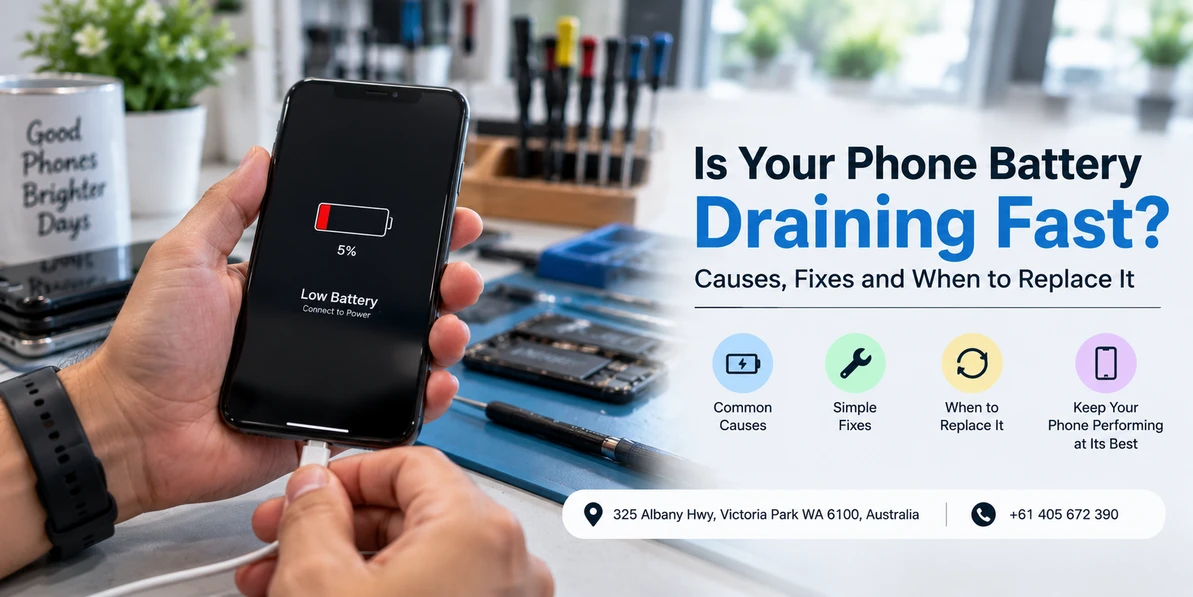
Is Your Phone Battery Draining Fast? Causes, Fixes and When to Replace It
Quick answer: Check your battery health percentage first, because it settles the question in about ten seconds. Above 80 percent with heavy drain usually means an app, a recent update or a settings problem, all of which you can fix yourself. Below 80 percent means the cell has worn out and no amount of tweaking will bring it back. The two behave differently as well: software drain comes and goes and follows a trigger, while a worn battery drains steadily all day whether you are using the phone or not.
Fast battery drain is the most misdiagnosed problem we see. People spend weeks closing apps, dimming screens and installing battery saver tools on a phone whose battery is simply worn out. Others book a replacement for a phone with a perfectly healthy cell that has one badly behaved app chewing through it in the background.
The good news is that separating those two situations takes a minute, not a week. This guide walks through the check, the real causes, the fixes that work, the ones that do nothing, and how to know when you have crossed into replacement territory.
Start here: check your battery health
Everything downstream depends on this number, so do it before anything else.
On iPhone: Settings, then Battery, then Battery Health and Charging. Look at Maximum Capacity. On newer iPhones you will also see a Cycle Count under Settings, General, About.
On Samsung: open the Samsung Members app, then Support, then Phone diagnostics, then Battery status. It reports the battery as Good, Normal or Weak rather than a percentage.
On Google Pixel and other Android phones: Settings, then Battery. Newer Pixels show a battery health section. On phones that do not report it, a technician can measure the actual capacity against the design capacity, which is more reliable than any app estimate.
| What it shows | What it means | What to do |
|---|---|---|
| 90 percent or above | Battery is healthy | The drain is software or settings, work through the fixes below |
| 80 to 89 percent | Normal wear, some real capacity lost | Try the fixes first, replacement is optional |
| Below 80 percent | Worn cell, roughly a fifth of its original capacity gone | Replacement is the fix, tweaking will not help |
| "Service" or "Weak" message | The phone has flagged the battery itself | Get it replaced |
| Any swelling, screen or back lifting | Failing cell, a safety issue | Stop using the phone and bring it in |
Software drain and battery wear behave differently
If you cannot get a health reading, the behaviour itself tells you a lot.
Software drain follows a trigger and a pattern. It starts after an update, after installing something, or at particular times of day. The percentage falls quickly during certain activities and behaves normally otherwise. The phone often runs warm while it is happening.
Battery wear does not follow anything. It drops steadily whether the phone is in your hand or face down on the desk. Overnight standby loss creeps up. The percentage jumps in chunks, sitting at 40 for an hour then falling to 25. And the phone shuts down at 15 or 20 percent, which is the clearest single indicator of all, because a worn cell can no longer hold voltage under load.
The real causes, and what to do about each
One app running away in the background
By far the most common software cause. On iPhone go to Settings, Battery and look at the last 10 days. On Android go to Settings, Battery, Battery usage. If a single app is taking 25 percent or more and it is not the one you use most, that is your culprit. Social, messaging and navigation apps are the usual offenders after an update goes wrong. Restrict its background activity, or remove and reinstall it.
A recent operating system update
After a major update the phone re-indexes files, re-uploads photos and rebuilds caches. Heavy drain for two or three days is normal and it settles by itself. Give it 72 hours before you conclude anything. If it is still draining after that, it is not the update.
Poor mobile signal
This one surprises people. When reception is weak, the phone increases transmit power trying to hold the connection, and a phone hunting for signal all day will flatten a healthy battery. If the drain started when you changed jobs, moved house or travelled, this is worth considering. Wi-Fi calling, or switching to flight mode in known dead zones, both help.
Display settings
The screen is the single largest consumer on most phones. An always on display, a high refresh rate locked at 120Hz rather than adaptive, maximum brightness with auto brightness disabled, and a short-to-never screen timeout all add up quickly. These are also the easiest wins available.
Heat
Heat is the main thing that ages a lithium battery permanently, and Perth summers are unkind. A phone left on a car dashboard, sitting in direct sun at the beach, or charging under a pillow is being damaged, not just temporarily slowed. A phone that regularly runs hot will lose capacity noticeably faster than an identical phone that does not.
Location and background refresh
Apps set to access location Always rather than While Using will wake the GPS repeatedly through the day. Go through the list and downgrade everything that does not genuinely need it. Navigation and weather apps are common offenders here.
Age
Lithium-ion cells degrade with every charge cycle, and most phone batteries are noticeably weaker somewhere around the two to three year mark. This is not a fault, it is chemistry, and it is the one cause on this list that no setting change will fix.
The fixes, in order of how much they actually help
- Deal with the top app in your battery usage list. Restrict its background activity or reinstall it. Biggest single win available on a healthy battery.
- Turn off the always on display if your phone has one, and set the refresh rate to adaptive rather than locked at maximum.
- Turn auto brightness on and stop running at full brightness by habit.
- Change location permissions from Always to While Using for everything that does not need constant tracking.
- Shorten the screen timeout to 30 seconds or a minute.
- Keep the phone out of heat. Off the dashboard, out of direct sun, out from under pillows while charging, and take the case off if it gets hot while charging.
- Enable optimised or adaptive charging so the phone stops holding at 100 percent overnight.
- Restart the phone once a week. Clears stuck processes and costs you nothing.
Work down that list, then give it two or three days of normal use before judging. Changing eight things at once and checking after an hour tells you nothing.
Things that do not help, despite what you have read
- Swiping apps closed constantly. Both iOS and Android suspend background apps automatically. Force closing one means the phone has to cold start it next time, which uses more power than leaving it suspended. Close apps that are misbehaving, not all of them out of habit.
- Battery saver and cleaner apps from the store. These run constantly in the background to do their monitoring, which is itself a drain. The tools built into your phone are better and free.
- Draining to zero and charging to 100 to "calibrate". Lithium-ion batteries do not need this, and deep discharges are harder on the cell than partial charges. Topping up whenever is fine.
- Worrying about overnight charging. Modern phones stop drawing power at 100 percent. Sitting at full charge in a hot room is mildly unhelpful over years, which is exactly what optimised charging exists to manage. It is not the problem people think it is.
- Avoiding third party chargers entirely. A certified charger from a reputable brand is fine. The risk is with uncertified cheap adaptors, not with the fact that it did not come in the box.
When it is genuinely the battery
If your health reading is below 80 percent, or the phone shuts down while still showing charge, or you have worked through the fixes and nothing changed, the cell itself is done.
Our companion guide covers this side in detail, including the full list of symptoms to watch for: read the warning signs you need a battery replacement.
Two things worth knowing before you book. First, insist on a quality cell. A cheap uncertified battery may read fine for a month and then drain, overheat or swell, and swollen batteries damage screens and frames on the way out. Second, ask what warranty covers the battery specifically, not just the labour.
If the phone has other symptoms alongside the drain, it may not be the battery at all. A phone that will not hold charge properly can point at the port instead, which our guide to charging port repair options covers, and sudden battery problems after any liquid exposure usually mean water damage rather than simple wear.
Replace the battery or replace the phone?
A battery replacement is one of the few repairs that genuinely resets how a phone feels to use, and on a handset that is otherwise working well it is far better value than starting a new plan. A phone with a worn battery is also worth considerably less on trade in than the same phone with a healthy one.
Replacement makes more sense when the phone already has several faults, when the model is old enough that parts are getting hard to source, or when you were planning to upgrade anyway. If you are unsure, bring it in and we will test the actual capacity and give you a straight answer rather than a sales pitch.
Battery replacement in Perth
Westcoast Repairs is a walk in repair shop at 325 Albany Highway, Victoria Park, minutes from the Perth CBD and easy to reach from East Victoria Park, Burswood, Carlisle, Lathlain, South Perth, Bentley and Belmont. No appointment is needed, and most battery replacements are finished in 30 to 60 minutes.
We handle iPhone battery replacement, Samsung battery replacement, Oppo repairs, Google Pixel repair, iPad repair, Apple Watch repair in Perth, MacBook repairs in Perth and laptop repairs. Every repair carries a three month parts and labour warranty.
Westcoast Repairs, Victoria Park
Address: 325 Albany Highway, Victoria Park WA 6100
Phone: 0405 672 390
Hours: Monday to Saturday 9:30am to 5:30pm, Sunday 11:00am to 5:00pm
Find us: mobile phone repair in Victoria Park on Google Maps
Not in Perth? See all our store locations, including phone repairs in Casuarina and phone repairs in Darwin.
Frequently asked questions
How do I check my phone battery health?
On iPhone, go to Settings, Battery, then Battery Health and Charging and read the Maximum Capacity figure. On Samsung, open the Samsung Members app, then Support, Phone diagnostics, Battery status. Newer Google Pixels show battery health under Settings, Battery. On phones that do not report it, a technician can measure actual capacity against design capacity, which is more accurate than any app estimate.
What battery health percentage is too low?
Below 80 percent is the generally accepted threshold, because the cell has lost roughly a fifth of its original capacity and no settings change will recover it. Between 80 and 89 percent is normal wear where a replacement is optional. Above 90 percent, heavy drain almost always points at an app, a recent update or your display settings rather than the battery.
Does closing apps save battery?
Generally no. Both iOS and Android suspend background apps automatically, and force closing one means the phone has to cold start it next time, which uses more power than leaving it suspended. Close an app that is genuinely misbehaving, but swiping everything away out of habit does not help and can make things marginally worse.
Why did my battery start draining after a software update?
After a major update the phone re-indexes files, re-uploads photos and rebuilds caches, which causes heavy drain for two or three days before settling. Wait 72 hours of normal use before drawing conclusions. If it is still draining badly after that, the update is not the cause and you should check your battery usage list for a single app taking an unusual share.
Is it bad to leave my phone charging overnight?
Not in the way people assume. Modern phones stop drawing power once they reach 100 percent. Sitting at full charge in a warm room is a mild long term stress, which is exactly what optimised or adaptive charging settings exist to manage, so turn that feature on. Heat is far more damaging to a battery than overnight charging is.
How long does a battery replacement take in Perth?
Most battery replacements are completed in 30 to 60 minutes while you wait, provided the battery is in stock for your model. Less common or older models may need the part ordered in. Call ahead on 0405 672 390 with your exact model and we can confirm availability before you make the trip.
Will replacing the battery delete my data?
No. A battery replacement is a hardware repair and does not require wiping the phone or performing a factory reset. Your photos, messages and apps stay where they are. Backing up before any repair remains sensible general practice.
What should I do if my battery is swollen?
Stop using the phone and stop charging it. A swollen battery is pushing the screen or back panel away from the frame and can damage both, and puncturing one is genuinely dangerous. Do not press it back into place and do not attempt to remove it yourself. Bring the phone in, ideally switched off, and keep it away from heat in the meantime.
Related reading: warning signs you need a battery replacement, charging port repair options, and why your phone will not charge.
Written by the technicians at Westcoast Repairs, a walk in phone repair shop on Albany Highway in Victoria Park, Perth.
Recent Posts
-
Is Your Phone Battery Draining Fast? Causes, Fixes and When to Replace It
Quick answer: Check your battery health percentage first, because it settles the question in about …16th Sep 2026 -
Phone Charging Port Not Working? Common Causes and Repair Options in Perth
Quick answer: A charging port that has stopped working usually comes down to one of four things: c …16th Sep 2026 -

Phone Water Damage Repair in Perth: What to Do Before Bringing Your Device to a Repair Shop
If it happened in the last few minutes: switch the phone off, do not plug it in, and do not press …16th Sep 2026