
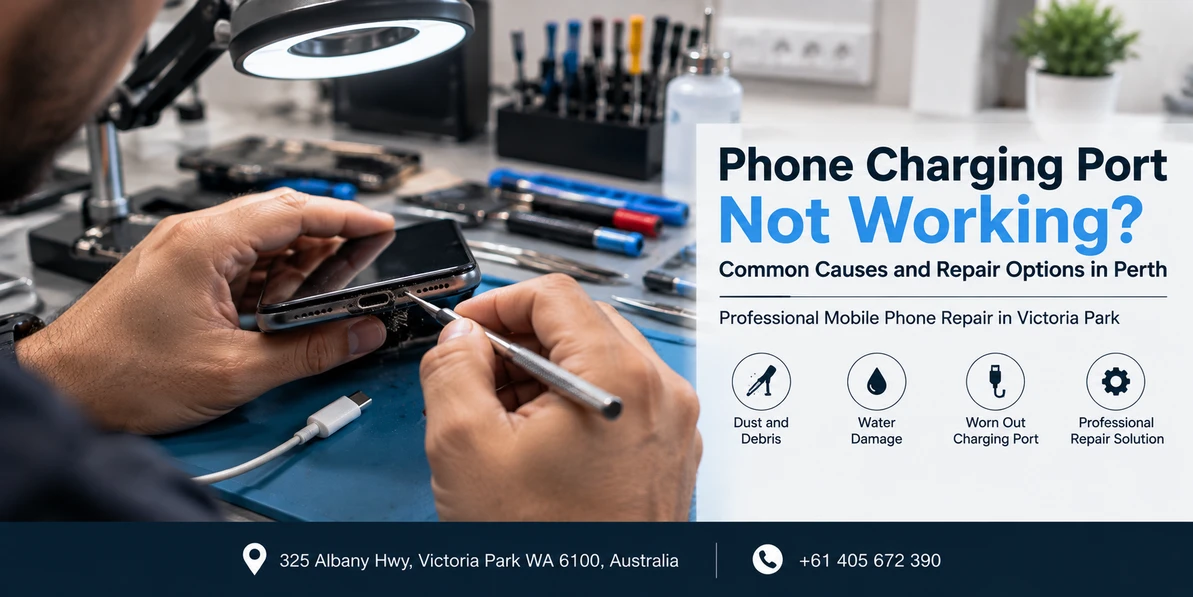
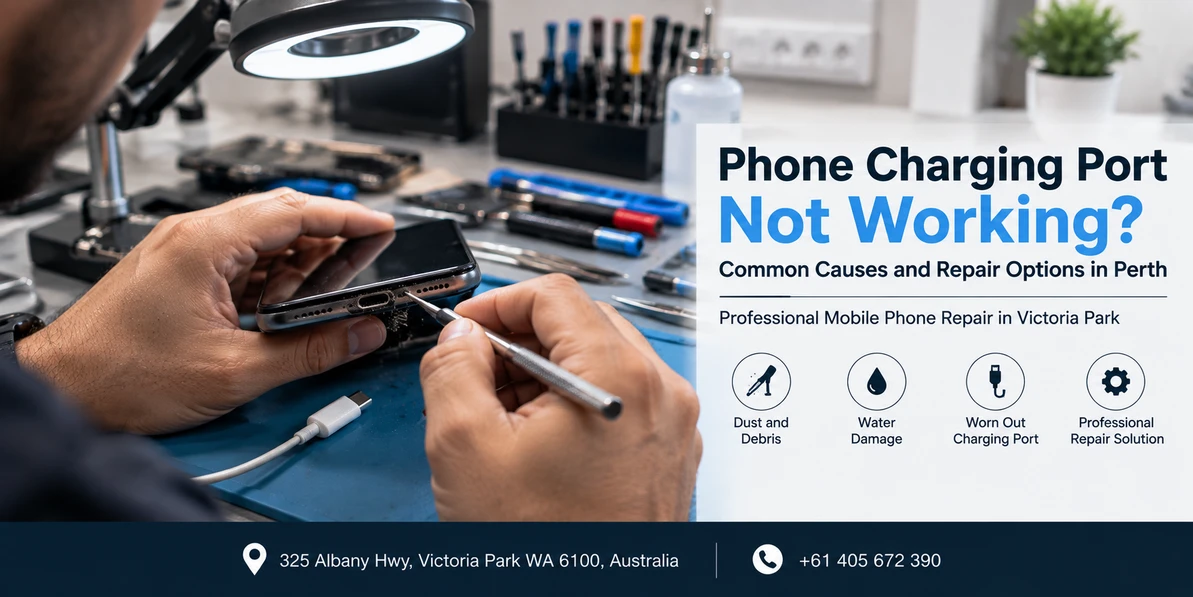
Phone Charging Port Not Working? Common Causes and Repair Options in Perth
Quick answer: A charging port that has stopped working usually comes down to one of four things: compacted lint blocking the connector, worn or bent contacts inside the port, corrosion from moisture, or a physical break from a drop or a yanked cable. Lint is the most common and the cheapest to fix. The repair itself depends on your model, because on some phones the port is part of a replaceable flex assembly, on others it sits on a small sub-board, and on a few it is soldered directly to the mainboard and needs micro-soldering.
If your phone charges only when the cable is held at a particular angle, or the connector falls out under its own weight, or nothing happens at all when you plug in, the port is the most likely culprit. This guide is about that specific component: what goes wrong inside it, how to be reasonably confident it is the port and not something else, and what your actual repair options are.
Worth saying up front: if you have not yet ruled out the cable, the adaptor, the wall socket, the battery or a software setting, start with our guide on why your phone will not charge. It covers all nine possible causes. Come back here once you have narrowed it down to the port, because everything below assumes you already have.
Is it definitely the port?
Ports get blamed for a lot of faults that belong to the battery or the cable. Here is how the symptoms usually separate out.
| What you notice | Most likely | What to do |
|---|---|---|
| Cable will not push in fully, or sits proud | Compacted lint | Port cleaning |
| Charges only at a certain angle, or if you hold it | Worn or bent contacts | Port inspection, likely replacement |
| Connector falls out or feels loose | Worn retention clips inside the port | Port replacement |
| Wireless charging works, cable does nothing | Port fault, battery is fine | Port repair |
| Charges fine but drains within hours | Battery, not the port | See our battery guide |
| Works with one cable but not another | Cable, not the port | Replace the cable |
| Moisture warning appears repeatedly | Liquid or corrosion in the port | Stop charging, get it inspected |
The wireless charging test is the most useful one on the list. If your phone supports wireless charging and it tops up happily on a pad while the cable does nothing, you have effectively proven the battery and charging circuit are working and isolated the fault to the port or its cable path.
If the battery side is what is actually failing, our guide on signs you need a battery replacement covers what to look for.
Cause 1: compacted lint, and why it is so common
This is far and away the most frequent reason a charging port stops working, and it catches people out because the port usually looks clean from the outside.
Your phone spends its life in a pocket or a bag, port facing down, acting as a small scoop. Fibres collect at the bottom of the port. Every time you plug the cable in, you compress that lint a little further, until it forms a dense pad at the base of the connector. The cable then physically cannot reach the contacts, or reaches only some of them.
The tell is mechanical rather than electrical. The cable does not click in with its usual feel. It sits slightly proud. It works if you press it firmly, and stops when you let go. If that describes your phone, there is a reasonable chance nothing is broken at all.
Cause 2: worn contacts
Ports wear out. A Lightning connector has eight contacts, a USB-C connector has twenty four, and every one of them is a small metal surface that is rubbed against thousands of times over the life of the phone. Plating wears through, contacts flatten, and the springy retention tabs that grip the cable lose their tension.
Worn ports fail gradually rather than suddenly. First the cable feels a bit loose. Then charging becomes intermittent. Then it only works at an angle, because holding the cable off centre is forcing a worn contact back into position. That angle trick is not a workaround, it is a warning, and continuing to lever the cable puts strain on the port housing and the solder joints holding it in place.
Cause 3: corrosion
The charging port is the largest opening on most phones and the most direct path for moisture. Sweat, rain, a splash, humidity, or a phone charged while damp will all leave residue on the contacts. Over time that residue corrodes the plating and the pins, which shows up as intermittent charging or as repeated moisture detection warnings.
Corrosion is the cause that most often extends past the port itself. If liquid reached the connector, it may also have reached the flex cable and the board behind it. If this started after any kind of liquid exposure, read our guide on how water damage affects your phone, because a port replacement alone will not solve a corrosion problem that is still spreading.
Cause 4: physical damage
Three versions of this turn up regularly. A phone dropped while plugged in, where the cable acts as a lever and bends the port. A cable pulled out sideways or by the cord rather than the connector, which stresses the solder joints. And a foreign object, most often a broken cable tip left behind in the port.
Physical damage is the one category where the repair can become significantly more involved, because a hard enough impact can lift the port away from its solder pads. At that point it is no longer a parts swap.
Can you clean the port yourself?
Carefully, yes, and it is worth trying before you pay anyone.
- Switch the phone off completely. Not standby. Off.
- Look inside with a torch. A phone torch plus a magnifying glass works. You are looking for a grey or fluffy pad at the base, and for any pin that looks bent or discoloured.
- Use a wooden or plastic toothpick. Nothing metal. Work the tip gently down one side wall, then drag outwards toward the opening. You are scraping lint out, not digging at the contacts.
- Repeat from the other side. Lint often comes out as a single surprising grey plug.
- Test before you go further. If the cable now clicks in properly and charges, you are done.
What to avoid: metal pins, paper clips and SIM ejector tools, all of which can bridge contacts or scratch plating. Compressed air, which can drive debris deeper and sometimes sprays propellant into the phone. Any liquid, including contact cleaner and alcohol, unless you know what you are doing. And force. If it will not come out gently, stop.
Stop immediately and get it looked at if you see green or white residue, a bent or missing pin, a contact that looks burnt, or if part of a cable tip has broken off inside.
Repair options, and which one applies to your phone
This is where people are often surprised, because two phones with identical symptoms can need quite different work. It comes down to how the manufacturer attached the port.
| Option | What it involves | When it applies |
|---|---|---|
| Professional port cleaning | Magnified inspection and removal of compacted debris with proper tools | Lint or debris, no damage to contacts |
| Charging flex assembly replacement | The port comes as part of a ribbon cable assembly that unplugs and swaps out, no soldering | Most iPhone models and many Android handsets |
| Sub-board replacement | The port sits on a small secondary board that is replaced as a unit | Many Samsung and mid range Android models |
| Micro-soldering | The port is desoldered from the mainboard and a new one fitted under a microscope | Models where the port is board mounted, or where pads are damaged |
| Wireless charging as a stopgap | No repair, you simply stop using the cable | Compatible phones, short term only |
The first three are routine work. Micro-soldering is a different skill set and not every shop offers it, so it is worth asking directly if your model needs it.
On wireless charging as a workaround: it genuinely does keep a phone usable, and plenty of people run that way for months. Two caveats. You lose wired data transfer, which matters if you ever need to back up or restore over a cable. And if the underlying cause is corrosion, it is still progressing while you charge wirelessly and ignore it.
What a charging port repair does not affect
A few reassurances, because these questions come up at the counter most days.
- Your data stays on the phone. A port replacement is a hardware job. Nothing is wiped, and no factory reset is required. Back up anyway as general good practice.
- Face ID and fingerprint unlock are unaffected. Neither has anything to do with the charging port.
- Your microphone may be involved, though. On many iPhone models the bottom microphone sits on the same flex assembly as the port, so it is replaced at the same time. That is normal and it should be tested before the phone comes back to you.
- Water resistance. We reseal with fresh adhesive, which restores splash resistance, but no third party repair restores a manufacturer's original IP rating.
How to stop it happening again
- Clear the port every few months. Thirty seconds with a toothpick, phone off, prevents most of these repairs entirely.
- Pull the connector, not the cord. Yanking a cable by the cable is what stresses solder joints.
- Do not use the phone while it is plugged in and lying on a bed or couch. That is how phones get dropped with the cable in, which is how ports get bent.
- Never charge a damp phone. If a moisture warning appears, believe it and wait.
- Replace fraying cables early. A damaged connector tip wears the port faster, and a tip can break off inside.
Charging port repair in Perth
Westcoast Repairs is a walk in repair shop at 325 Albany Highway, Victoria Park, minutes from the Perth CBD and easy to reach from East Victoria Park, Burswood, Carlisle, Lathlain, South Perth, Bentley and Belmont. No appointment is needed. Bring the cable you have been using, because it takes thirty seconds to rule it in or out.
We handle iPhone charging port repair, Samsung charging port replacement, Oppo repairs, Google Pixel repair, iPad repair, MacBook repairs in Perth and laptop repairs. If you are dealing with other damage at the same time, our guide to phone screen repair in Perth covers what to ask before booking.
Westcoast Repairs, Victoria Park
Address: 325 Albany Highway, Victoria Park WA 6100
Phone: 0405 672 390
Hours: Monday to Saturday 9:30am to 5:30pm, Sunday 11:00am to 5:00pm
Find us: mobile phone repair in Victoria Park on Google Maps
Not in Perth? See all our store locations, including phone repairs in Casuarina and phone repairs in Darwin.
Frequently asked questions
How do I know if it is the charging port or the battery?
If your phone supports wireless charging, put it on a pad. If it charges wirelessly but not by cable, the battery and charging circuit are working and the fault is in the port or its cable path. If it will not charge either way, or it charges to full but drains within hours, the battery is the more likely cause. A port fault is about the connection, a battery fault is about how long the charge lasts.
Can a charging port be cleaned instead of replaced?
Often, yes. Compacted lint is the single most common cause of a port that has stopped working, and clearing it fixes the problem completely with no parts required. A technician will always inspect and clean before recommending a replacement, so it is worth having it looked at rather than assuming the port is broken.
Is it safe to clean my phone charging port myself?
Yes, if you switch the phone off first and use a wooden or plastic toothpick rather than anything metal. Work gently down the side walls and drag debris outwards. Avoid metal pins, SIM ejector tools, compressed air and any liquid. Stop and get it inspected if you see green or white residue, a bent pin, or part of a cable tip stuck inside.
Why does my phone only charge when I hold the cable at an angle?
Holding the cable off centre is forcing a worn or bent contact back into position, or pushing past debris sitting at the base of the port. It is a sign of a developing fault rather than a workaround. Continuing to lever the cable puts strain on the port housing and the solder joints holding it to the board, which can turn a simple repair into a more involved one.
How long does a charging port repair take in Perth?
A clean is usually done while you wait. A port or flex assembly replacement is typically a same visit job when the part is in stock for your model. Micro-soldering, which some models require, takes longer and is usually a same day or next day job. Call ahead with your exact model and we can tell you which category it falls into.
Will replacing the charging port erase my data?
No. A charging port replacement is a hardware repair and does not require wiping the phone or performing a factory reset. Your photos, messages and apps stay exactly where they are. Backing up before any repair is still sensible general practice.
Will the repair affect my microphone?
On many iPhone models the bottom microphone sits on the same flex assembly as the charging port, so it is replaced at the same time. This is normal and expected. The microphone should be tested on a call and on a voice recording before the phone is handed back, so ask for that if it is not offered.
Can I just use wireless charging instead of repairing the port?
It works as a stopgap on compatible phones and plenty of people manage this way for months. Two things to bear in mind. You lose wired data transfer, which matters when you need to back up or restore over a cable. And if the port failed because of corrosion, that corrosion is still spreading while you ignore it, so it is worth having the phone inspected even if you have stopped using the cable.
Related reading: why your phone will not charge, how water damage affects your phone, and signs you need a battery replacement.
Written by the technicians at Westcoast Repairs, a walk in phone repair shop on Albany Highway in Victoria Park, Perth.
Recent Posts
-
Is Your Phone Battery Draining Fast? Causes, Fixes and When to Replace It
Quick answer: Check your battery health percentage first, because it settles the question in about …16th Sep 2026 -
Phone Charging Port Not Working? Common Causes and Repair Options in Perth
Quick answer: A charging port that has stopped working usually comes down to one of four things: c …16th Sep 2026 -
Phone Water Damage Repair in Perth: What to Do Before Bringing Your Device to a Repair Shop
If it happened in the last few minutes: switch the phone off, do not plug it in, and do not press …16th Sep 2026