
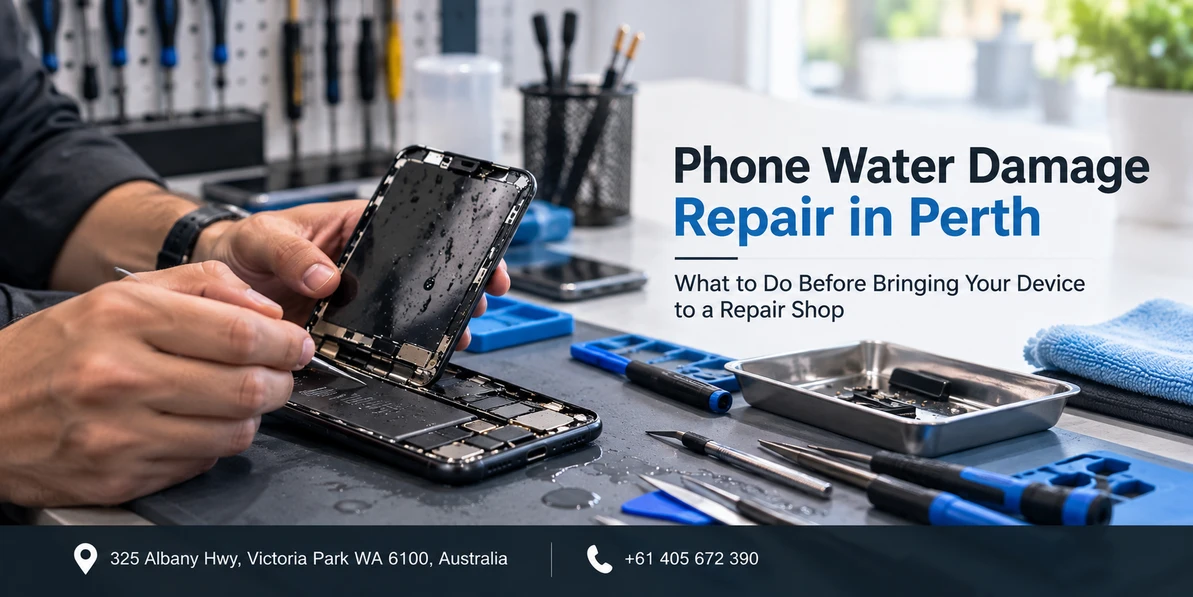
Phone Water Damage Repair in Perth: What to Do Before Bringing Your Device to a Repair Shop
If it happened in the last few minutes: switch the phone off, do not plug it in, and do not press buttons to test it. Our guide on how water damage affects your phone covers those first steps. Come back to this page once the phone is off and safe.
Quick answer: Before you bring a water damaged phone to a repair shop, keep it switched off, resist the urge to test it, and do not attempt to charge it. Check the liquid contact indicator in the SIM tray so you know what the technician will see. Write down what liquid it was, how long it was exposed, and whether the phone was powered on at the time. Bring the phone, the SIM tray tool if you have one, and your passcode. The sooner it gets to a bench, the better the odds, because corrosion starts while the phone sits.
There is a strange quiet period after a phone goes in the water. The panic passes, the phone is off, and now you are standing in your kitchen wondering what happens next. Do you wait and see? Do you try turning it on just once? Do you leave it overnight?
What you do in those hours genuinely changes the outcome. Not in a dramatic way, but in the sense that a handful of small decisions decide whether a technician opens a phone with light residue or one with corrosion already spreading across the board. This guide covers that window specifically: from the moment the phone is off and dry on the outside, to the moment you hand it across the counter at a phone repair shop in Perth.
Why the clock matters more than the water
Most people assume the water is the problem. It is not, really. Clean water on its own evaporates. What causes lasting damage is what happens after.
Two processes are running. The first is short circuiting, which only happens while power is flowing, which is why switching the phone off matters so much. The second is corrosion, and this one does not care whether the phone is on or off. Minerals, salts and sugars left behind after the liquid evaporates sit on the board and slowly eat into solder joints, connector pins and component legs.
Corrosion does not stop because the phone feels dry. A phone that sits in a drawer for a fortnight because it "seemed fine" often arrives in worse condition than one brought in the same afternoon still visibly damp. This is the single most common mistake we see.
What liquid was it? This changes the urgency
Not all liquid exposure is equal, and a technician will ask you this first. Have the answer ready.
| Liquid | Why it matters | How urgent |
|---|---|---|
| Rain, tap water, a sink | Lowest mineral content, least aggressive | Same or next day |
| Pool water | Chlorine and stabiliser chemicals accelerate corrosion | Same day if possible |
| Sea water | Highly conductive and very corrosive, salt keeps working after drying | Treat as urgent |
| Soft drink, juice, beer, coffee | Sugar leaves a sticky conductive residue that does not evaporate | Treat as urgent |
| Toilet or dishwater | Detergents and contaminants, plus a hygiene issue for handling | Same day, and mention it |
Nobody is going to judge you for where the phone landed. Tell the technician honestly, because a phone that went into sea water gets a different cleaning process to one that caught rain on the walk down Albany Highway.
Check the liquid contact indicator yourself
Almost every modern phone has a small liquid contact indicator, usually a tiny sticker that is white or silver when dry and turns pink or red once it touches liquid. Knowing what yours shows before you arrive means no surprises.
On iPhone, eject the SIM tray and look into the empty slot with a torch. The indicator sits inside, along one edge.
On most Samsung and other Android handsets, it is in the same place, inside the SIM or memory card tray slot. Some older models place it under the back cover or near the battery.
A triggered indicator means liquid reached the inside of the phone. It does not automatically mean the phone is dead, and it does not tell you how much liquid got in or where it travelled. It is a flag, not a diagnosis. Equally, an indicator that still looks white does not guarantee the inside is dry, because liquid can enter through a port or a damaged seal and never touch that particular sticker.
What it does affect is warranty. A triggered indicator is how manufacturers identify liquid exposure, and liquid damage generally falls outside a standard manufacturer warranty. More on that below.
What not to do while you wait
This is the part where well meaning advice does real harm.
- Do not put it in rice. Rice absorbs ambient humidity slowly and does almost nothing for liquid trapped under a shield on a circuit board. Worse, it buys time for corrosion while giving you the feeling that something is being done. Rice dust also gets into ports.
- Do not use a hairdryer, heat gun, oven or heater. Heat pushes moisture deeper into the phone, can warp adhesives and seals, and lithium batteries do not respond well to it.
- Do not put it in the freezer. This one circulates online periodically. Condensation on rewarming makes it worse.
- Do not plug it in to see if it charges. Applying power to wet or corroded contacts is how a recoverable phone becomes a board level repair. If you are already dealing with a phone that will not charge after liquid exposure, leave it disconnected.
- Do not keep switching it on to check. Every power cycle sends current through components that may be sitting in residue. One test is a risk. Ten tests is a decision.
- Do not shake it or blow compressed air into ports. Both move liquid from where it landed to somewhere it had not reached.
- Do not take it apart yourself unless you already do this for a living. Modern phones use bonded adhesive, ribbon cables that tear easily, and batteries that are genuinely dangerous when punctured.
What to do instead
- Keep it off and keep it flat. Lay it on a dry towel on a bench, ports facing down or sideways, at normal room temperature.
- Remove the case, SIM tray and memory card. Cases trap moisture against the body. An open tray slot helps air move.
- Leave it somewhere with moving air, such as near a fan on a low setting. Airflow at room temperature is safe. Heat is not.
- Get it to a bench sooner rather than later. Even a few hours matters with salt water or sugary drinks.
The awkward question about your data
This is where honest advice gets slightly uncomfortable, so here it is plainly.
If your phone still switches on and everything on it is already backed up to iCloud, Google or a computer, you have nothing to worry about and you should simply leave it off until it reaches us.
If your phone still switches on and it holds photos or messages you have never backed up anywhere, you have a genuine trade off. Turning it on and running a backup gets your data to safety now. It also means running current through a phone that may be wet inside, which carries a real risk of causing damage that was not there a minute earlier. There is no risk free option.
Our usual guidance: if the phone is currently working and the data is irreplaceable, a single controlled backup over Wi-Fi is often worth it, done once, quickly, with the phone left alone afterwards. If the phone is already behaving oddly, restarting, showing display faults or not charging properly, stop and bring it in. Repeated attempts to coax it into life are what turn a data recovery job into a lost cause.
And if the phone will not switch on at all, do not keep trying. Bring it in switched off. Data recovery from a phone that has not been repeatedly powered up is a far better prospect.
What to bring and what to tell us
Five minutes of preparation makes the diagnostic faster and more accurate.
| What we will ask | Why it changes the job |
|---|---|
| When exactly did it happen? | Hours versus days tells us how far corrosion is likely to have progressed |
| What was the liquid? | Determines the cleaning process and the realistic outlook |
| How long was it in contact? | A splash and a two minute submersion are different jobs |
| Was the phone switched on at the time? | Powered exposure raises the chance of short circuit damage |
| Did you plug it in afterwards? | Points us toward the charging circuit during inspection |
| What have you already tried? | Rice, heat or disassembly all change what we expect to find |
| Is the data backed up? | Decides whether recovery is the priority or the repair is |
Bring the phone, the SIM tray ejector if you have one, and be ready to provide your passcode or to unlock the device for testing. A phone cannot be properly tested after cleaning without being unlocked, and you are welcome to ask exactly what it is being used for.
What actually happens at the repair bench
Knowing the process helps set expectations, because water damage repair is not a parts swap.
- Inspection. The phone is opened, the battery is disconnected first so no power can flow, and the liquid contact indicators and entry points are documented.
- Assessment of spread. Shields are lifted to see how far the liquid travelled. Corrosion often hides underneath, so a clean looking board through the shield means very little.
- Cleaning. Isopropyl alcohol for targeted work, or an ultrasonic bath for boards with widespread residue. This is what removes the salts and sugars that keep corroding after the water has gone.
- Controlled drying. Not a hairdryer. Controlled, even removal of remaining moisture.
- Testing and part replacement. Charging, audio, cameras, microphones, display and radios are all tested. Corroded parts such as the charging flex, camera module or display are replaced as needed.
- Reassembly and resealing. Fresh adhesive goes in, though it is worth saying plainly that no third party repair restores a manufacturer's original water resistance rating.
Being honest about outcomes
Water damage is the one repair where nobody can promise you a result before opening the phone, and you should be sceptical of anyone who does.
There are broadly three outcomes. The phone cleans up and works normally again, which is common when the exposure was short, the liquid was fresh water and it arrived quickly. The phone works but with a lasting fault, such as a dead microphone, a foggy camera or a charging port that needs replacing. Or the damage has reached something that cannot be economically repaired, in which case the focus shifts to recovering your data.
Because of that, water damage jobs usually start with a paid diagnostic rather than a fixed quote. You are paying for the phone to be opened, cleaned and assessed, and you get a clear picture and a firm price before any further work goes ahead. Ask up front what the diagnostic covers and whether it comes off the repair cost if you proceed.
Warranty and insurance in Australia
Liquid damage is generally excluded from manufacturer warranties, and a triggered liquid contact indicator is how that exclusion gets applied. An IP water resistance rating is a laboratory test result on a new device, not a lifetime promise, and seals degrade with age, drops and previous repairs.
Worth checking before you assume you are out of pocket: many home and contents policies cover accidental damage to portable items, some mobile plans include device insurance, and a number of credit cards offer purchase protection on items bought with the card. Any of these may treat a water damaged phone as a claim. We can provide an itemised assessment and invoice if you need documentation for an insurer.
Repairs we carry out come with consumer guarantees under Australian Consumer Law alongside our own three month parts and labour warranty. On water damage specifically, that warranty covers the parts we fit and the work we do, not pre existing corrosion that continues to develop in areas we could not access. This is general information and not legal advice.
"It dried out and seems fine." Should you still get it checked?
Yes, and this is the scenario we would most like people to take seriously. A phone that survives the first few days often develops problems weeks later, because corrosion works quietly. Typical late arrivals: a microphone that stops working on calls but is fine on speaker, a rear camera that fogs, a charging port that only works at an angle, a battery that suddenly drains, or random restarts with no obvious trigger.
A clean and inspect while the phone is still working is far cheaper than a board repair after corrosion has spread. If the phone matters to you and liquid definitely got inside, get it looked at even if nothing seems wrong.
Water damage repair in Perth
Westcoast Repairs is a walk in repair shop at 325 Albany Highway, Victoria Park, minutes from the Perth CBD and easy to reach from East Victoria Park, Burswood, Carlisle, Lathlain, South Perth, Bentley and Belmont. No appointment is needed, and with liquid damage it is better to walk in than to wait for a booking.
We handle iPhone water damage repair, Samsung Galaxy repairs, Oppo repairs, Google Pixel repair, iPad repair, Apple Watch repair in Perth, MacBook repairs in Perth and laptop repairs.
Westcoast Repairs, Victoria Park
Address: 325 Albany Highway, Victoria Park WA 6100
Phone: 0405 672 390
Hours: Monday to Saturday 9:30am to 5:30pm, Sunday 11:00am to 5:00pm
Find us: mobile phone repair in Victoria Park on Google Maps
Not in Perth? See all our store locations, including phone repairs in Casuarina and phone repairs in Darwin.
Frequently asked questions
How long can a water damaged phone wait before repair?
The sooner the better, because corrosion begins while the phone sits and does not stop when the phone feels dry. Fresh water exposure can usually wait until the next day. Sea water, pool water and sugary drinks should be treated as same day if at all possible, because salts and sugars keep attacking the board long after the liquid has evaporated.
Does putting a phone in rice actually work?
No. Rice draws moisture from the surrounding air very slowly and does nothing for liquid trapped under shields on the circuit board. The real problem is not dampness, it is the mineral and salt residue left behind, which rice cannot remove. The main harm is the delay, because the phone sits corroding while it appears something useful is being done.
How do I check whether my phone has water damage?
Eject the SIM tray and shine a torch into the empty slot. Most phones have a small liquid contact indicator inside that is white or silver normally and turns pink or red once it has touched liquid. A triggered indicator confirms liquid got inside, though it does not tell you how much or where it travelled, and an untriggered one does not guarantee the inside is dry.
Can you recover data from a water damaged phone?
Often, yes, particularly if the phone has not been repeatedly switched on or plugged in since the exposure. Recovery prospects are best when the device comes in switched off and reasonably soon. If your data is irreplaceable, tell us before anything else so recovery can be prioritised ahead of cosmetic or convenience repairs.
Does water damage void my phone warranty?
Liquid damage is generally excluded from manufacturer warranties, and the liquid contact indicator is how that is identified. Before assuming you are out of pocket, check your home and contents insurance, any device insurance attached to your mobile plan, and any purchase protection on the credit card used to buy the phone. We can supply an itemised assessment for an insurance claim.
My phone dried out and works fine. Do I still need it checked?
We would recommend it. Corrosion develops quietly, and faults often appear weeks after the original incident. Common late symptoms include a microphone that fails on calls, a foggy rear camera, a charging port that only works at a certain angle, sudden battery drain or random restarts. A clean and inspect while the phone still works costs considerably less than a board repair later.
How much does water damage repair cost in Perth?
It cannot be quoted accurately before the phone is opened, because the cost depends on how far the liquid travelled and which components are affected. These jobs normally begin with a paid diagnostic covering opening, cleaning and assessment, after which you get a firm price before any further work. Ask whether the diagnostic fee comes off the repair cost if you go ahead.
Can a phone that has been in sea water be saved?
Sometimes, but sea water is the hardest case because salt is both highly conductive and aggressively corrosive, and it keeps working after the water has dried. Speed matters more here than with any other liquid. Keep the phone switched off, do not rinse it or attempt to charge it, and get it to a technician the same day if you can.
Related reading: how water damage affects your phone, why your phone will not charge, and signs you need a battery replacement.
Written by the technicians at Westcoast Repairs, a walk in phone repair shop on Albany Highway in Victoria Park, Perth.
Recent Posts
-
Is Your Phone Battery Draining Fast? Causes, Fixes and When to Replace It
Quick answer: Check your battery health percentage first, because it settles the question in about …16th Sep 2026 -
Phone Charging Port Not Working? Common Causes and Repair Options in Perth
Quick answer: A charging port that has stopped working usually comes down to one of four things: c …16th Sep 2026 -
Phone Water Damage Repair in Perth: What to Do Before Bringing Your Device to a Repair Shop
If it happened in the last few minutes: switch the phone off, do not plug it in, and do not press …16th Sep 2026