
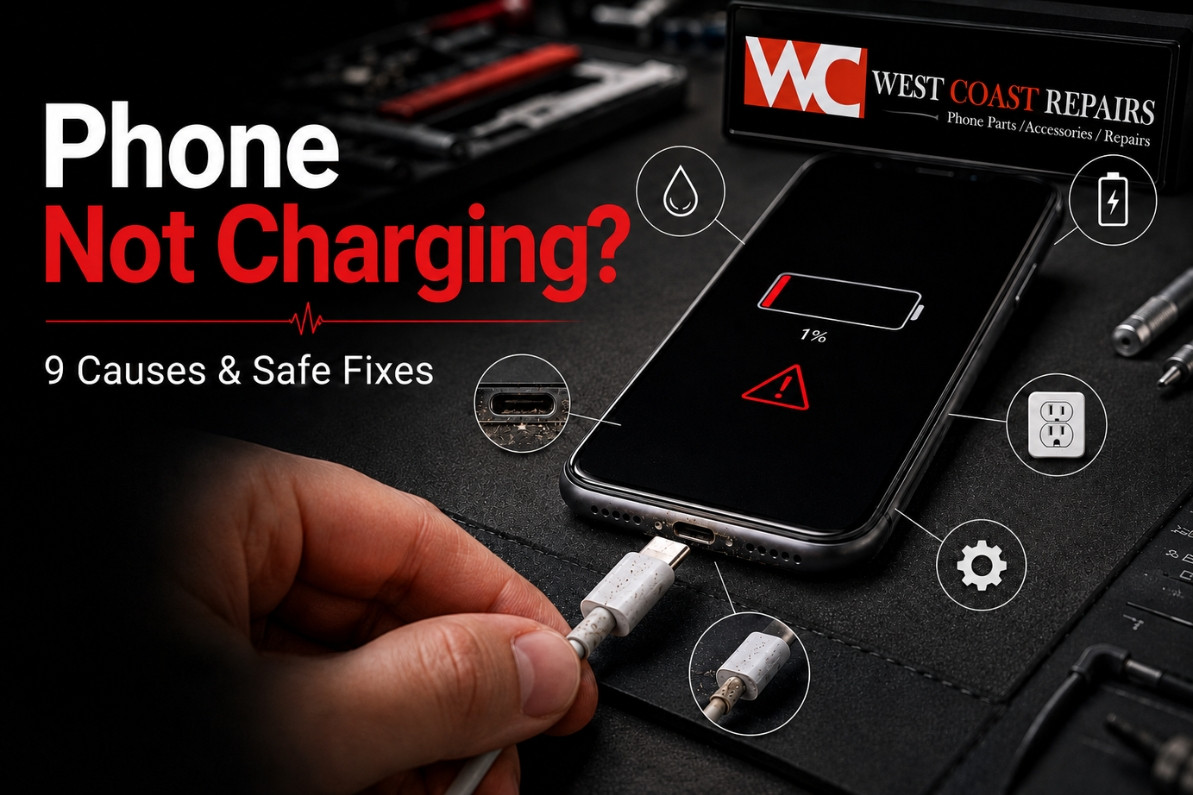
Why Is My Phone Not Charging? 9 Causes and Safe Fixes
Why Is My Phone Not Charging? 9 Causes and Safe Fixes
Your battery is almost flat, you connect the charger, and nothing happens. A phone not charging may be caused by a damaged cable, faulty adaptor, blocked charging port, moisture, software trouble, an ageing battery or internal damage.
Before searching for a mobile phone repair shop, try these checks. They can help you decide whether you need a new charger, phone battery replacement or professional charging port repair.
Quick answer: Test another compatible cable, adaptor and wall socket. Restart the phone and inspect the charging port. If it charges only at an angle, becomes extremely hot, smells unusual or has a swollen battery, stop using it and arrange a professional phone repair.
Quick Phone-Charging Diagnosis
| What you notice | Likely cause | First safe step |
|---|---|---|
| No charging symbol | Cable, adaptor or socket | Test working accessories |
| Charges only at an angle | Blocked or damaged port | Stop forcing the cable |
| Moisture warning | Liquid in the port | Disconnect and air-dry |
| Percentage does not rise | Weak power, software or battery | Restart and use a wall adaptor |
| Wireless works but cable does not | Charging-port fault | Arrange a port inspection |
| Swelling, smell or extreme heat | Battery failure | Stop using the phone |
1. The Charging Cable Is Damaged
Cables can fail internally even when the outside looks normal.
Try another compatible cable. Replace any cable with exposed wires, bent connectors, burn marks or unusual heat. Do not keep twisting the cable to make it charge, as this may damage the port.
2. The Adaptor or Power Socket Is Faulty
The cable may work while the adaptor, wall socket, power board, laptop USB port or car charger supplies too little power.
Try another wall outlet and compatible adaptor. Change one item at a time. A computer USB port may charge more slowly than a wall charger.
3. Dust Is Blocking the Charging Port
Pocket lint and dust can collect inside a USB-C or Lightning port and stop the connector from sitting correctly.
Signs include a loose cable, charging only at a certain angle, repeated connecting and disconnecting, or the plug not entering fully.
Switch the phone off and inspect the port. Never insert needles, pins or SIM tools. If debris is tightly packed, professional charging port cleaning is safer.
4. Moisture Is Inside the Port
Many iPhone and Samsung phones stop cable charging when moisture is detected.
Disconnect the charger and leave the phone in a dry, ventilated place. Do not use rice, a hairdryer, heater or cleaning liquid.
If the problem started after rain, a spill or submersion, read our phone water damage guide. A water damage repair inspection may still be needed.
5. The Phone Is Too Hot or Cold
Charging may pause or slow when the battery temperature is outside its normal range. Direct sunlight, a hot car, gaming and heavy apps can make a phone overheat.
Move the device to a room-temperature area, remove the case and let it cool naturally. Never place a hot phone in a refrigerator or freezer.
6. Software Is Interrupting Charging
A temporary software error can affect charging. Restart the phone and install system updates.
Also check whether Optimised Battery Charging, Charge Limit or Battery Protection is stopping charging at a certain percentage. Some phones use these settings to reduce battery wear.
7. The Charging Port Is Damaged
Does your phone charge only when the cable is held at an angle? Does the connector feel loose or fall out? You may need a charging port repair.
The port may be worn, bent, corroded or damaged after a fall. Do not repeatedly move the cable because this can worsen the fault.
Wireless charging may temporarily help on compatible phones, but it does not repair a damaged port.
8. The Phone Battery Is Failing
Rechargeable batteries lose capacity over time. Warning signs include fast battery drain, unexpected shutdowns, slow charging, overheating and failure to hold power.
If the screen or back panel is lifting, the battery may be swollen. Stop using the phone and arrange a professional phone battery replacement. Never press a swollen battery back into place.
9. Internal Components Are Damaged
Liquid exposure, corrosion and impact damage can affect the charging board or power-management system. A mobile phone repair technician can test the port, battery and internal hardware.
Why Is My iPhone Not Charging?
Test another compatible cable and adaptor, restart the iPhone, inspect the charging port and check for a liquid-detection alert. If these steps fail, you may need an iPhone charging port repair or iPhone battery replacement.
Why Is My Samsung Phone Not Charging?
Check the cable, adaptor and port, look for a moisture warning and review Battery Protection. Persistent problems may require Samsung phone repair.
When Should You Stop Troubleshooting?
Stop immediately if you notice battery swelling, smoke, a burning smell, extreme heat, liquid inside the phone or burnt accessories.
Seek help if several chargers fail, the port feels loose, charging works only at an angle or the battery percentage does not increase.
Get Phone Repairs in Perth and Darwin
If your phone is still not charging, Westcoast Repairs can inspect the battery, charging port and internal hardware.
Visit us for mobile phone repairs in Perth, phone repairs in Darwin or phone repair in Casuarina. Our technicians handle iPhone repair, Samsung phone repair, charging port repair, phone battery replacement, screen repair and water damage repair.
Searching for phone repair near me? Visit your nearest Westcoast Repairs store. Same-day service may be available depending on the model, fault and parts.
Recent Posts
-
Is Your Phone Battery Draining Fast? Causes, Fixes and When to Replace It
Quick answer: Check your battery health percentage first, because it settles the question in about …16th Sep 2026 -
Phone Charging Port Not Working? Common Causes and Repair Options in Perth
Quick answer: A charging port that has stopped working usually comes down to one of four things: c …16th Sep 2026 -
Phone Water Damage Repair in Perth: What to Do Before Bringing Your Device to a Repair Shop
If it happened in the last few minutes: switch the phone off, do not plug it in, and do not press …16th Sep 2026